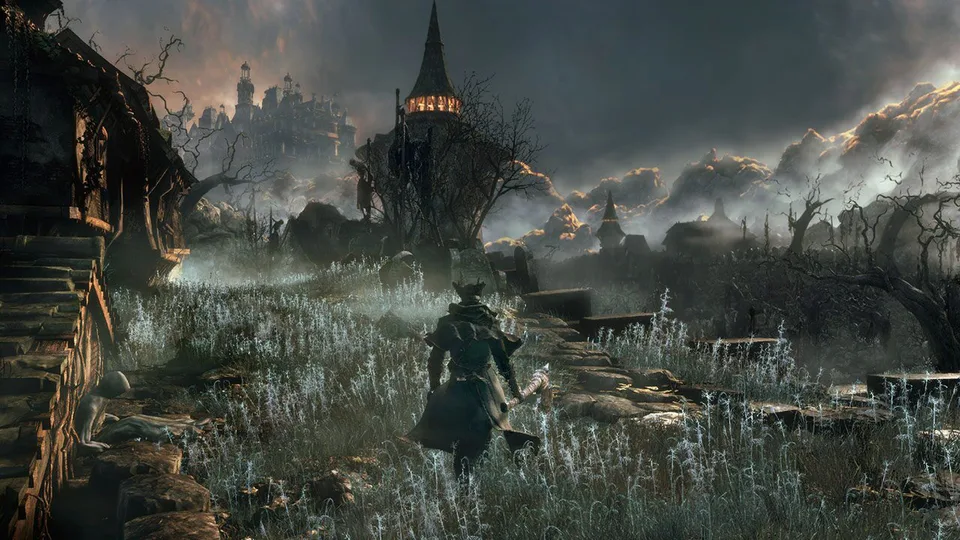
Discover the best bloodborne mods, PC emulator performance tips, and cut content restoration guides to elevate your haunting Yharnam journey today.
Published: Bloodborne Wiki Editorial Team
Table of Contents
Introduction to the Evolution of Bloodborne Mods
Stepping through the blood-soaked streets of Yharnam has always been a hauntingly brilliant experience, but the emergence of community-driven bloodborne mods is fundamentally changing how players interact with FromSoftware’s masterpiece. Whether you are exploring traditional console setups or experimenting with modern emulation breakthroughs, tailoring your hunt with custom fan-made enhancements breathes fresh life into the gothic nightmare. Understanding how these modifications function is crucial for anyone looking to experience the game at its absolute technical and atmospheric peak.
For years, tweaking this iconic action RPG was severely restricted due to hardware limitations and platform exclusivity on the PlayStation ecosystem. However, recent technical milestones have unlocked unprecedented possibilities for bloodborne mods, ranging from framerate patches to massive lighting overhauls. Below, we break down everything you need to know about setting up, selecting, and running the most impactful community creations available today.
Setting Up Your Environment for Bloodborne Mods
Before diving into aesthetic overhauls and gameplay tweaks, establishing a stable foundation is essential for a smooth modification experience. According to recent community reports, players utilizing PC emulation environments like shadPS4 can now tap into unofficial mod organizer support, streamlining the installation process significantly.
Setup Type
Hardware / Platform
Performance Target
Stability Notes
Console Original
Base PS4 / Slim
30 FPS (Locked)
Highly stable, zero customization
Console Enhanced
Jailbroken PS4 / PS5
60 FPS (Via Patch)
Requires system exploit knowledge
PC Emulation
shadPS4 (Modern Build)
Up to 60 FPS + Patches
Early stage, occasional vertex glitches
When configuring your files, always ensure you back up your save data and follow specific loader instructions provided by tool developers. Utilizing community-tested loaders prevents common crashes and vertex explosion errors during intense combat encounters.
Download and configure a stable, up-to-date build of the shadPS4 emulator on a compatible PC rig.
Enable built-in performance patches to unlock framerates beyond the native 30 FPS cap.
Install unofficial mod manager support to easily toggle individual asset packs on and off.
Download trusted bloodborne mods from verified platforms like Nexus Mods to ensure file integrity.
Visual Overhauls and Graphic Enhancements
One of the most exciting aspects of modern bloodborne mods is the ability to drastically upgrade the game's visual fidelity. A prime example is the comprehensive remaster project spearheaded by community modders, which radically transforms Yharnam's dreary atmosphere. These graphical packages inject dynamic shadows throughout the entire world, greatly increasing draw distances and shadow clarity.
Dynamic Shadow Integration
Adds comprehensive shadow casting across maps that previously lacked detailed lighting, dramatically enhancing the grim, atmospheric tension.
Ambient Occlusion & Parallax Mapping
Replaces flat, dated surface textures with high-depth parallax mapping, making cobblestones, brickwork, and eldritch architecture pop with realistic depth.
Skybox and Fog Blending
Smooths out awkward fog transitions between exploration zones and distant skyboxes, creating a seamless, terrifying horizon line.
Players should note that comprehensive texture overhauls often feature substantial file sizes exceeding several gigabytes. Balancing these graphical enhancements with your system's hardware capabilities ensures you maintain a consistent framerate while fending off beastly horrors.
Restoring Cut Content and Hidden Bosses
Beyond graphical tweaks, community creators have made staggering breakthroughs in unearthing and restoring developer leftovers. For years, players could only encounter certain anomalies through grueling false-depth chalice dungeons on official hardware. Today, specialized bloodborne mods cleanly reintroduce these elusive assets directly into standard playthroughs.
Restored Element
Original Status
Integration Method
Community Feedback
Warp Chairs
Cut dev asset / Animation file
Replaces standard lanterns
Excellent for cinematic screenshots
Great One Beast
Hidden Chalice Boss
Purchased via Insight Messengers
Provides a stable, authentic arena fight
Alpha Visual FX
Unstable vanilla scripts
Nexus asset replacement
Eliminates crashes during heavy combat
According to player experience reports, restoring these elements not only satisfies historical curiosity about FromSoftware's development cycle but also offers fresh combat challenges for veteran hunters who have memorized every vanilla boss pattern.
Tip
Always check compatibility notes before combining multiple asset-replacement mods. Mixing conflicting texture overhauls for the same regional map can result in visual corruption or unexpected application crashes.
Essential Best Practices for Safe Modification
Diving into the modification scene requires patience, especially given the bleeding-edge nature of current platform tools. Because emulation software and custom patches evolve rapidly, keeping your tools updated is just as important as downloading the modifications themselves.
Verify that your emulator version matches the requirements specified by the mod creator.
Read through community troubleshooting forums if you encounter persistent vertex explosions.
Test large graphics overhauls incrementally rather than installing dozens of files at once.
Support independent creators and tool developers sharing insights on platforms like Nexus Mods.
Frequently Asked Questions
Can I run bloodborne mods on an unmodded official PlayStation 4?
No, running custom community modifications on an official PlayStation 4 or unexploited PlayStation 5 is currently not possible. Standard console architecture restricts file injection, meaning advanced bloodborne mods require either a jailbroken console or modern PC emulation setups.
Will installing graphics mods affect game performance?
Yes, comprehensive visual packages—such as dynamic shadow implementations and high-resolution texture upscales—demand more hardware resources. If your system struggles with performance, consider disabling heavy reshade presets while keeping core bug-fix patches active.
Where is the safest place to download bloodborne mods?
The vast majority of stable, community-verified files are hosted on dedicated gaming hubs like Nexus Mods. Always download files directly from creators or trusted project pages to avoid corrupted packages or malicious installers.
Do these modifications restore multiplayer functionality?
Generally, modifying game files or running titles through alternative emulation layers will disable official online servers. Most bloodborne mods are designed specifically for standalone single-player experiences and offline exploration.